
Fox Manager is a web-based application that supports the management of amateur radio club Fox Hunts – including the recording of Fox device placement and retrieval, logging of successful ‘finds’ by Fox Hunters, and historical reporting.
NOTE: All users (especially the Fox Master) must have Precise (Apple) or Improved Accuracy (Android) Location Services enabled on their mobile devices. We use GPS to record locations for map placement and location validation. Records submitted without GPS info will be noted and placement records will not be permitted without this info.
Click on the images below to expand size.
Fox Master places the Fox
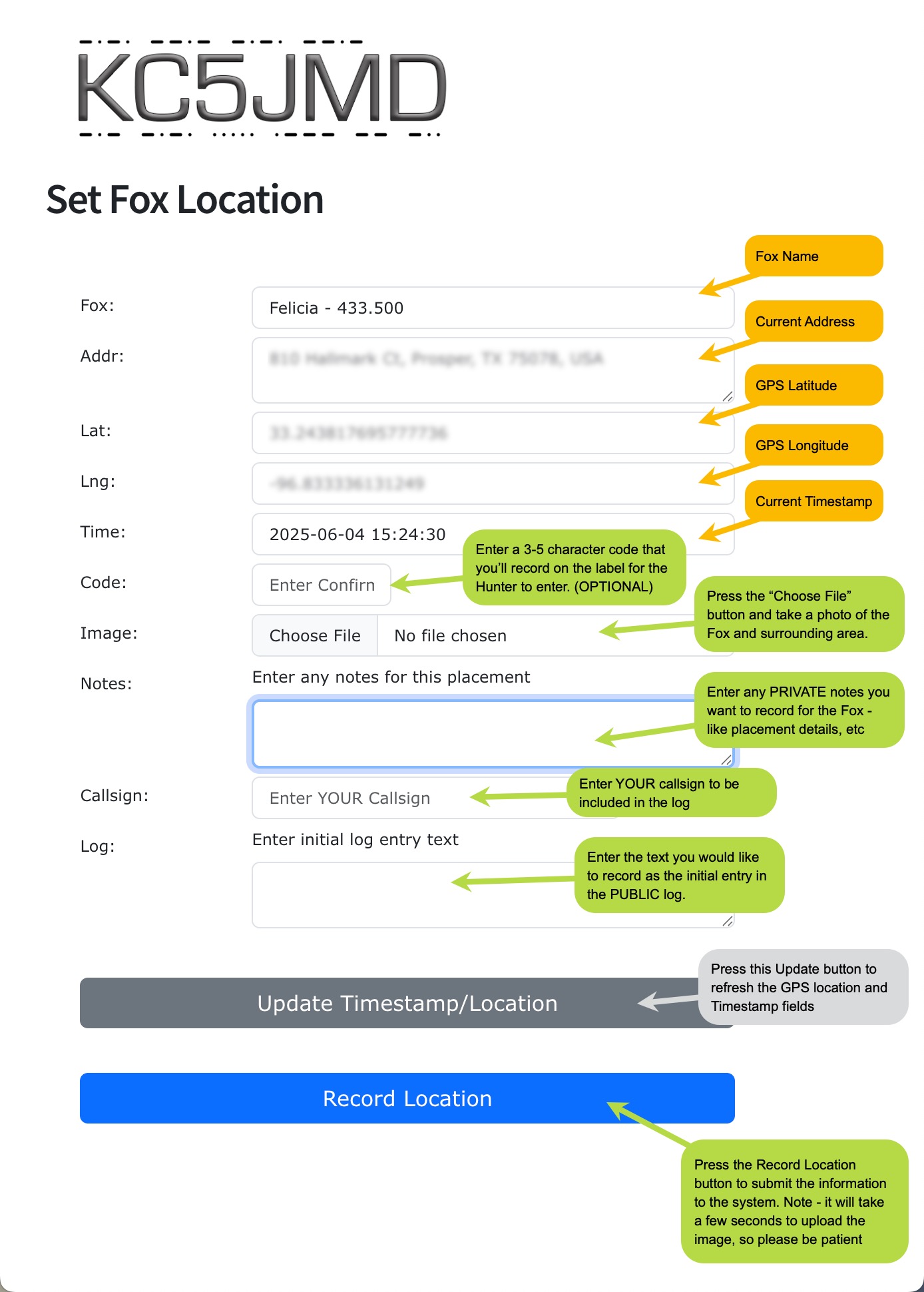
To start a Fox Hunt in the system, you’ll need to define the placement of the Fox. Do so by scanning the QR Code provided to the Fox Master, which will open the Set Fox Location page in the application.
The Orange fields are automatically populated by the system. Enter the data in the Green fields.
Pressing the Blue “Record Location” button will submit the record and upload the image – which may take some time, based on your internet speed.
When the record has been successfully submitted, you will be directed to the Retrieval page for this Fox Hunt.
NOTE: DO NOT share this QR Code or URL with anyone other than the authorized Fox Master(s), because it provides information about the location of the Fox while the Event is active.
Hunter registers Fox ‘find’
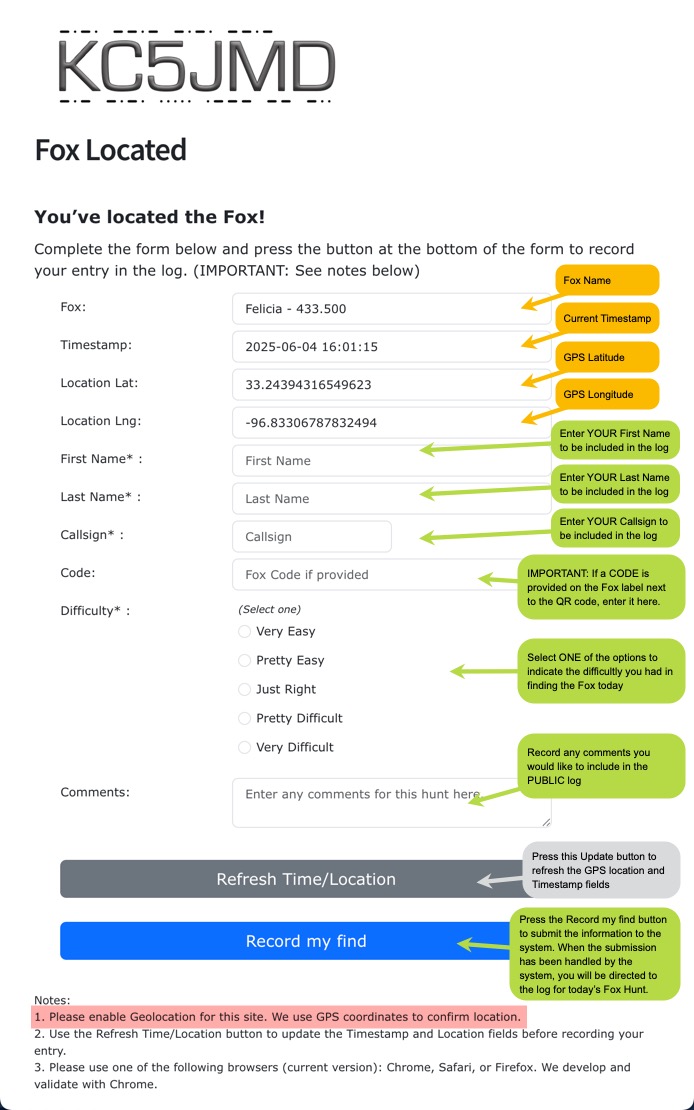
Hunters will find a QR Code on the Fox device, which when scanned will open the Fox Located page for the Fox Hunt.
The Orange fields will be filled in by the system automatically. Be sure to ALLOW Location Services for the site, enabling the system to read and record the GPS location.
Complete the Green fields with your information. If the Fox Master has placed a CODE on the QR Code label, be sure to accurately enter that code in the form.
NOTE: It is best that you complete and submit the form when you’re close to the Fox. This gives us the best information about your ‘find’.
When you’ve completed the form, press the Blue “Record my find” button and your record will be saved to the system. On successful submission, your browser will be redirected to the log for the Fox Hunt.
The Fox Hunt Log
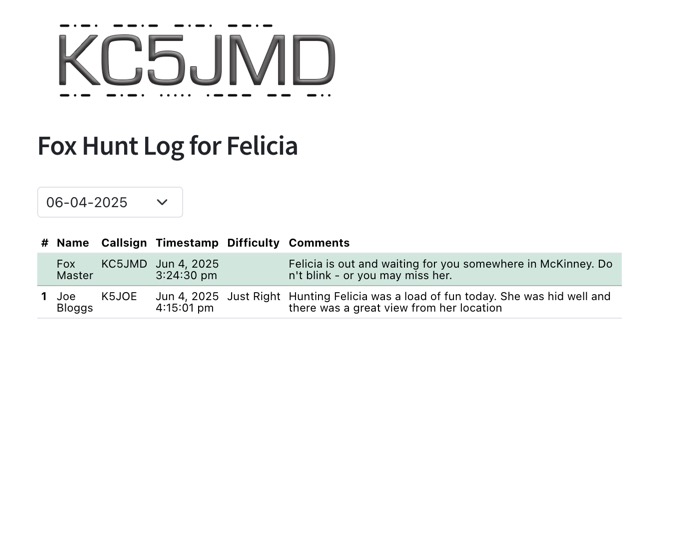
The Fox Hunt Log shows the most recent entries recorded for the Fox Hunt. If the Hunt is still active, the list will include entries for each Hunter that has recorded a ‘find’ for the current Hunt.
The Hunt is over
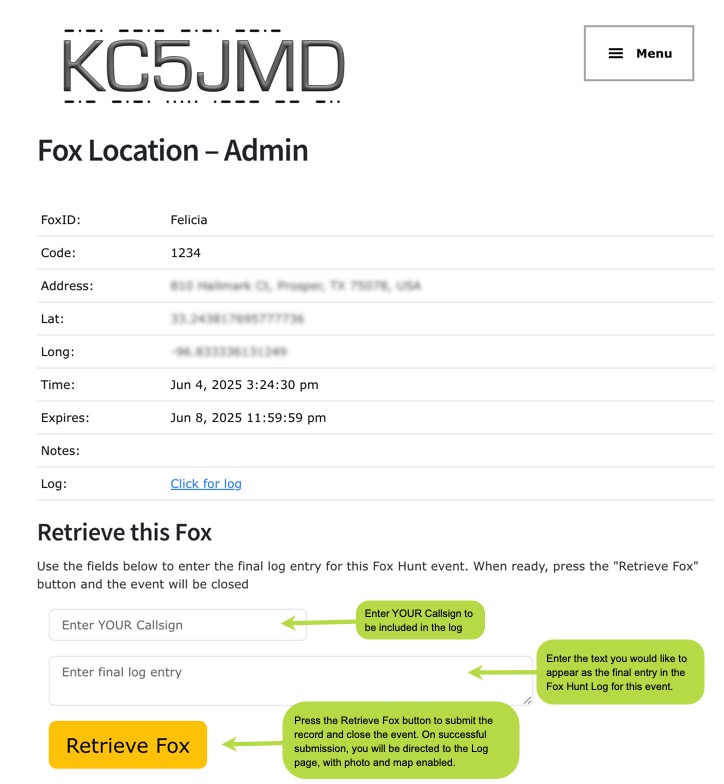
The Fox Hunt ends when the Fox Master ‘retrieves’ the Fox from the field – or the expiration date/time (default: late Sunday night) has passed.
The Fox Master can record the Fox retrieval by re-scanning the Master QR Code for the Fox and entering their callsign and the message they’d like to use as the final log entry for the Hunt. Press the “Retrieve Fox” button and on successfull submission the browser will be redirected to the completed Log.
Completed Hunt Log
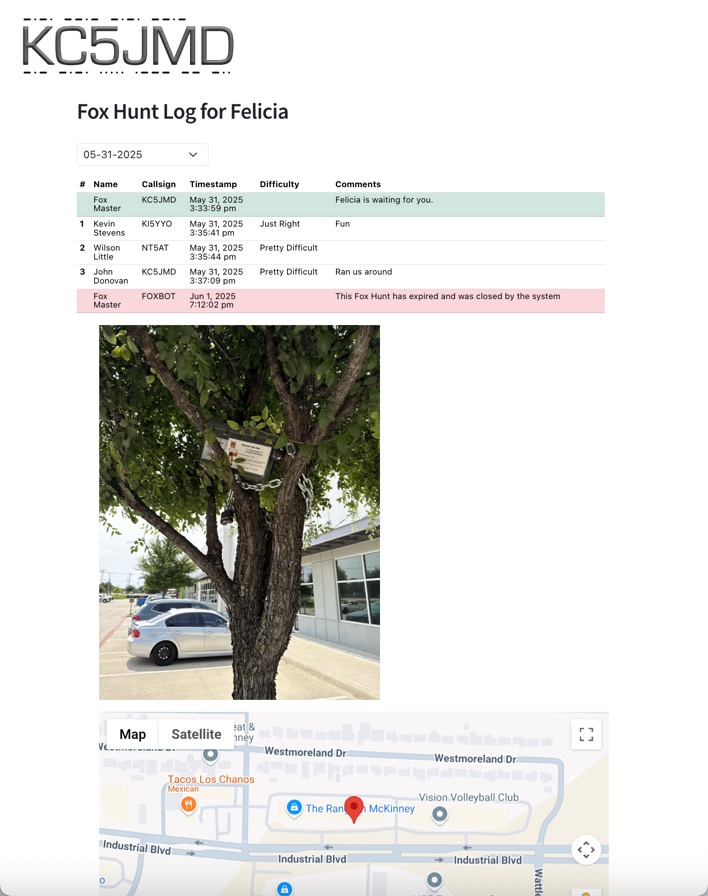
When the Hunt has been completed, the Log will show all of the Hunters’ entries, in chronological order, the picture of the Fox recorded when it was placed, and the Fox’s location on a map. This expanded view is only displayed after the Hunt has been closed by the Fox Master or gone past the expiration time.
The date selector, just above the left side of the Log table, allows you to select previous Hunts for display.
A link to the Log has been provided to your website webmaster.
Hunt Map
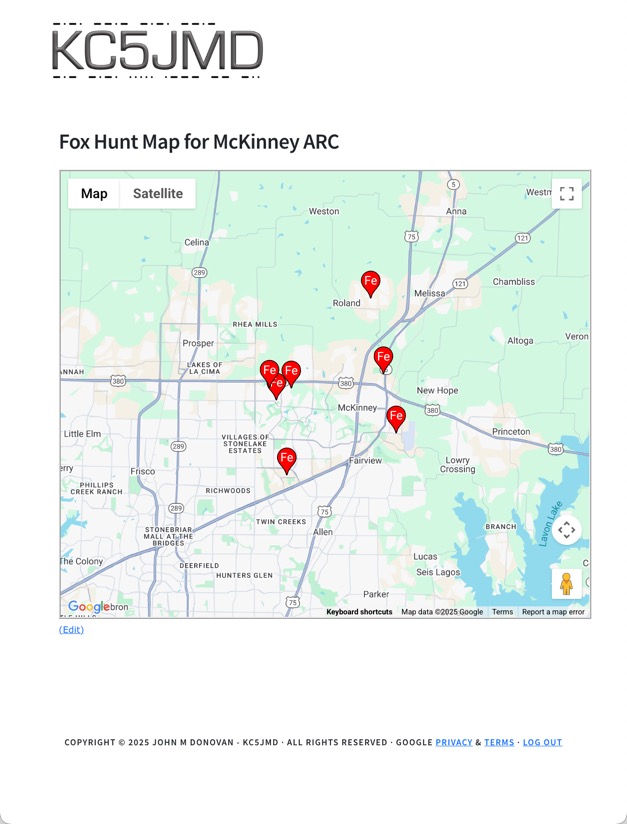
All completed/closed Hunts are displayed on a map of the area with markers placed at each Fox location, allowing you to see the locations of previous Hunts.
Click on the icon to open a window with details about the Hunt and a link to the Log page.
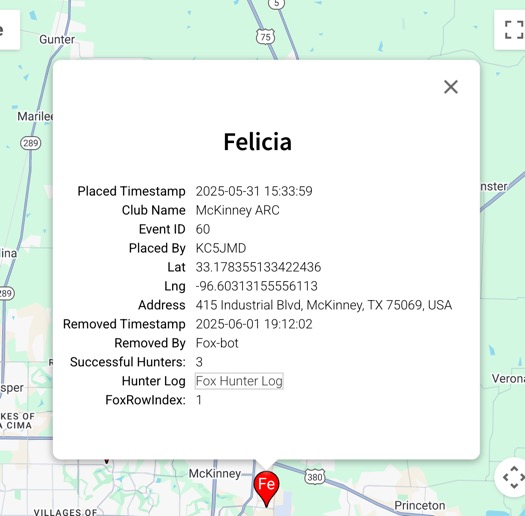
A link to the Map has been provided to your website webmaster.